
- FREE
- Text File (.txt)
- Tally Prime
- Instant Download
Invoice Mode Mark in Day Book TDL
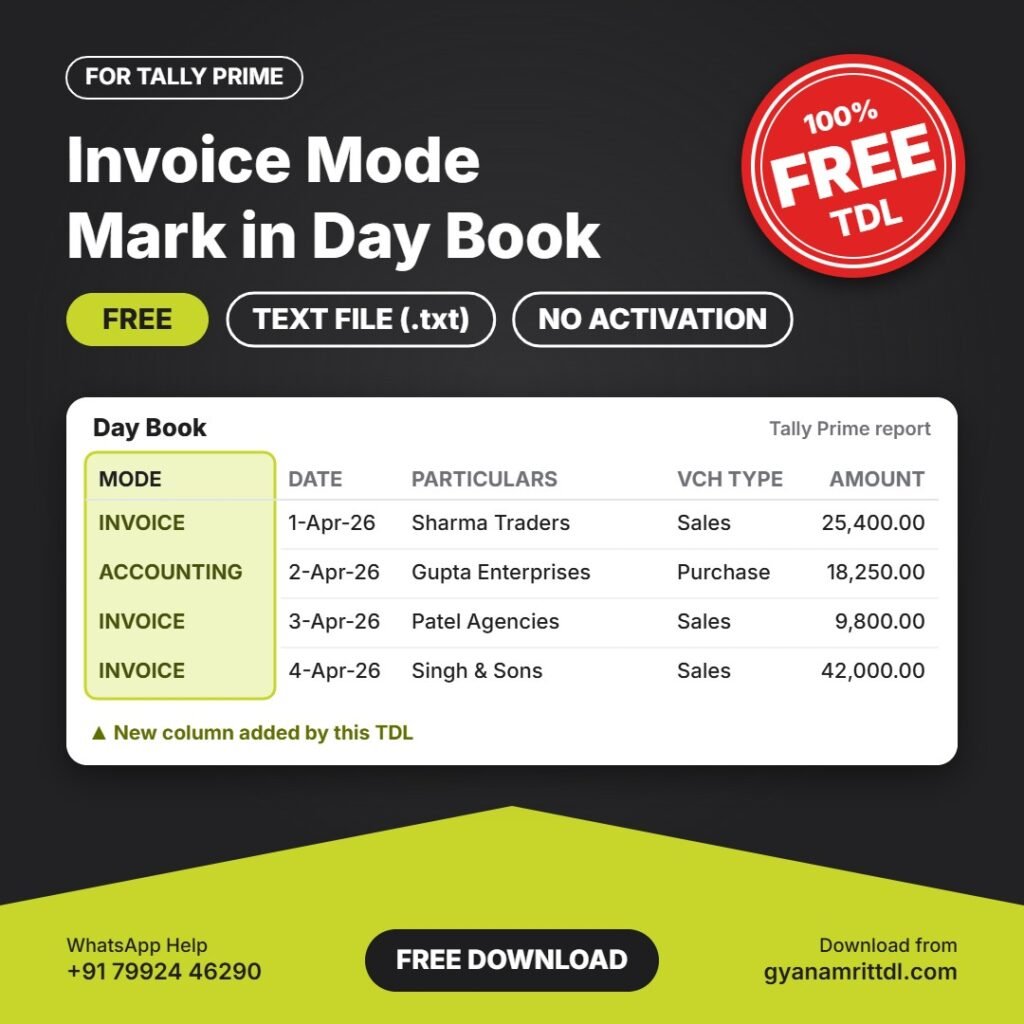
Adds a MODE column in Day Book that shows whether each voucher was entered in Invoice mode or Accounting mode. Helpful for checking that sales and purchase entries are made in the correct mode.
Free download · Plain text TDL file (.txt) · Load it directly in Tally Prime, no activation needed.
What this TDL does
- INVOICE or ACCOUNTING shown for every voucher
- Quickly find entries made in the wrong mode
- Helpful for stock and GST checking
- Small text file, no setup or activation needed
Like free TDLs? Join us on YouTubeNew TDLs, Tally tips and step-by-step videos. Subscribe so you never miss one.
▶ SubscribeDownload TDL
Click the button below. Your download link will be ready in 10 seconds.
10
Download NowPreparing your download…
How to install in Tally Prime
- Download the TDL and extract the zip file. Inside you will find a .txt file.
- Open Tally Prime and go to Gateway of Tally.
- Press Ctrl+Alt+T, then press F4 (Manage Local TDL).
- Set Load TDL Files on Startup to Yes.
- Enter the TDL file path, for example
E:\TDL\file.txt, and save.
Need a custom TDL or help with installation?We have built 1200+ TDLs. Message us on WhatsApp.
💬 WhatsApp HelpPopular Paid TDLs
-
Sale!
 Other
Voucher Number Voucher date Changer
Original price was: ₹1,000.00.₹500.00Current price is: ₹500.00. Add to cart -
Sale!
 All Paid TDL
GSTIN Auto Create Ledger
Original price was: ₹2,500.00.₹1,000.00Current price is: ₹1,000.00. Add to cart -
Sale!
 All Paid TDL
Item HSN and GST Rate Display in Stock Summary With Filter
Original price was: ₹500.00.₹100.00Current price is: ₹100.00. Add to cart -
Sale!
 All Paid TDL
Change Font Style and Increase Font Size
Original price was: ₹1,200.00.₹100.00Current price is: ₹100.00. Add to cart