
OCR Reader – Scanned Bank Statement to Excel
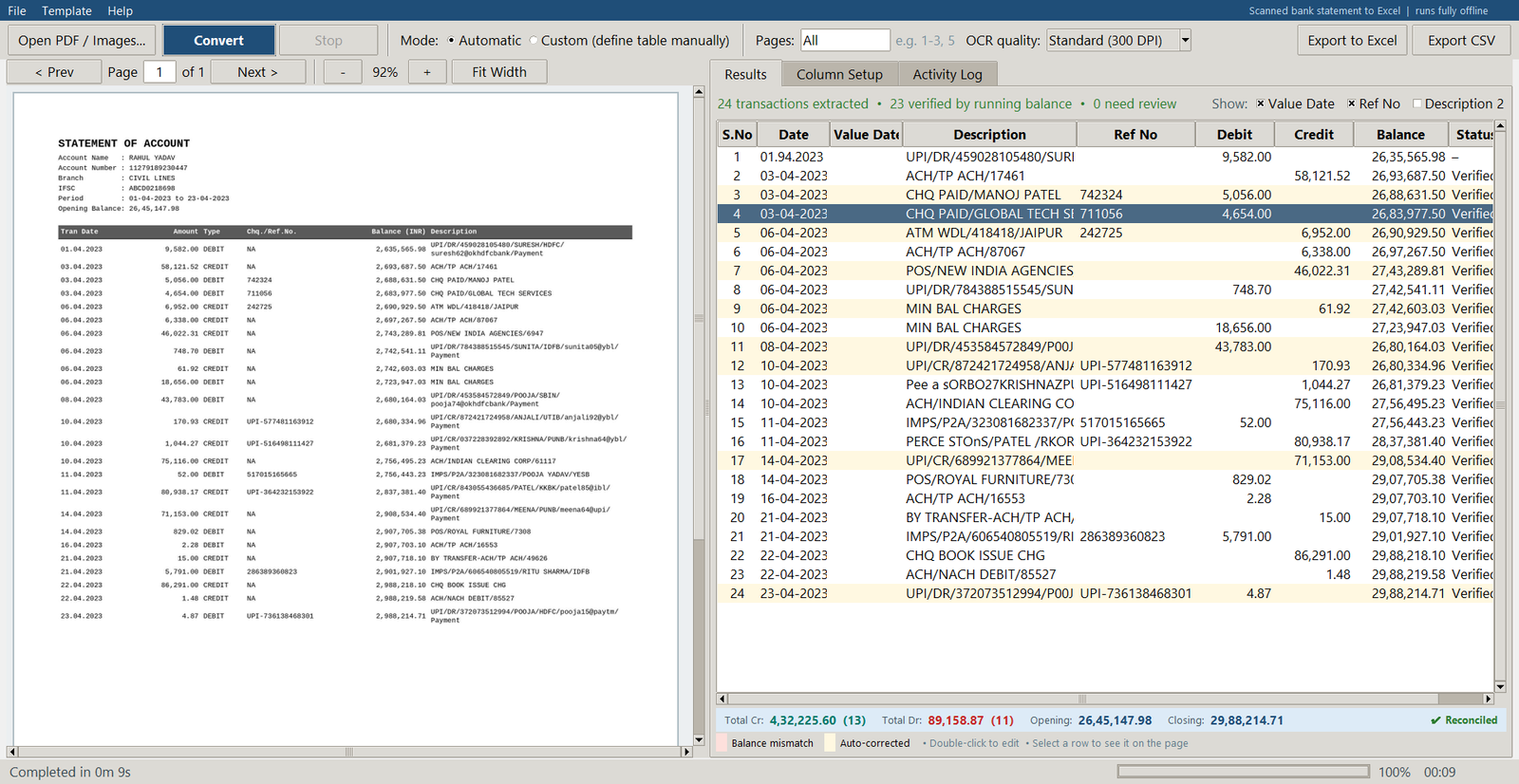
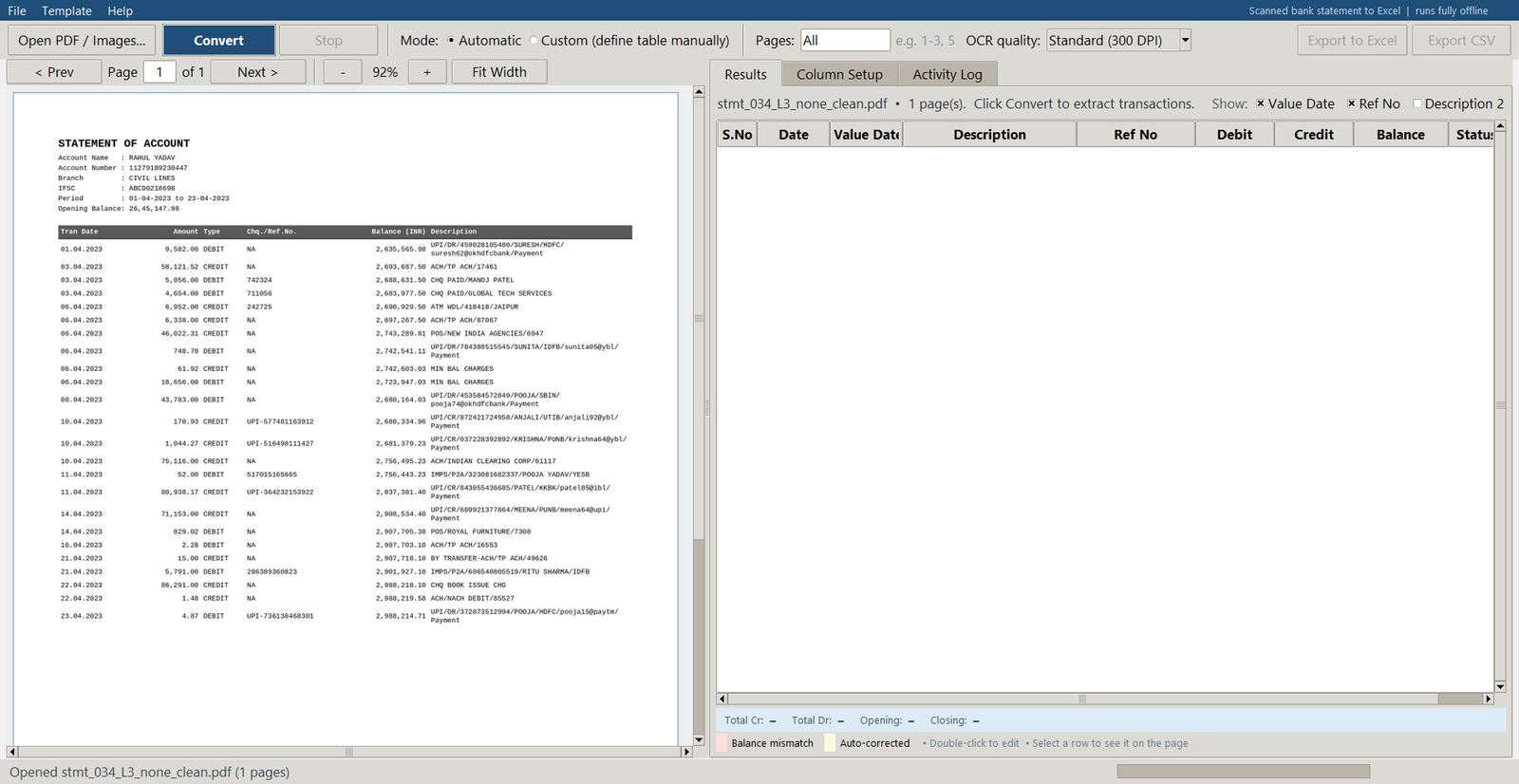
OCR Reader converts scanned bank statements (PDF or JPG/PNG photos) into a clean Excel sheet in a few seconds. No typing, no copy-paste.
Features
- Reads scanned PDFs and images (PDF, JPG, PNG, TIFF). Several images can be combined into one statement.
- Automatic table detection: Date, Value Date, Description, Ref No / Cheque No, Debit, Credit, Balance.
- Every row is checked with the running balance – mismatches are marked in red so you can fix them.
- Totals bar: Total Credit, Total Debit, Opening and Closing balance with a “Reconciled” check.
- Custom mode for difficult statements: draw the table area and set the columns yourself, save it as a template for the same bank.
- Optional “Description 2” column for banks that print the narration in two columns.
- Double-click any cell to correct it before exporting.
- Export to Excel (with totals and a summary sheet) or CSV – ready to import into Tally.
- Your statements are processed on your own computer.
Price
- Software: ₹999 (first year included)
- Renewal: ₹500 per year
Free demo
3 days & 10 pages free demo. Contact us for the Secret Key to register.
Requirements
- Windows 10 / 11 (64-bit)
- Internet connection for license check
Support / Renewal: WhatsApp 917992446290


Reviews
There are no reviews yet.