
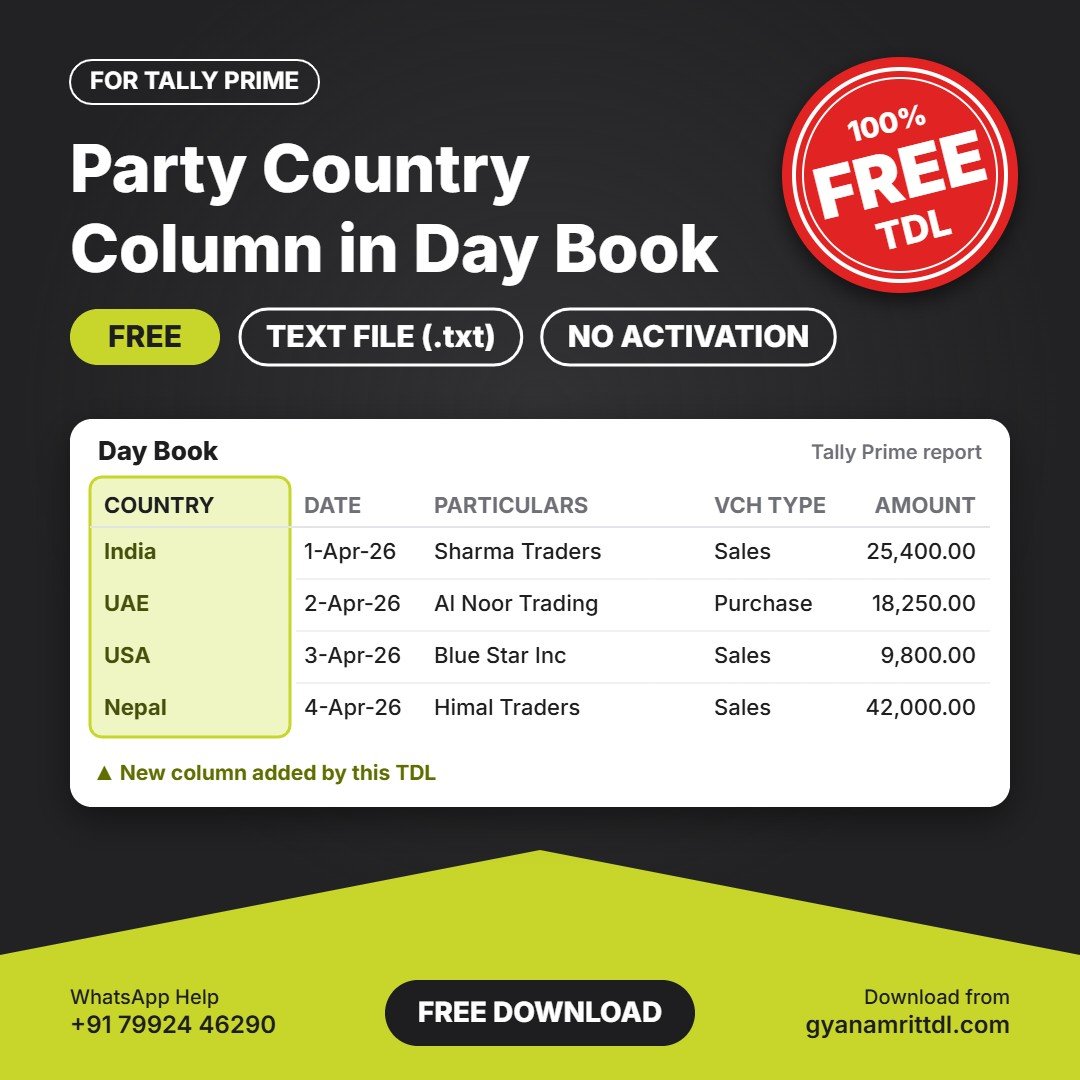
Party Country Column in Day Book TDL for Tally Prime
Shows the party's country (taken from the ledger master) next to each voucher in Day Book. Useful for businesses with export and import parties.
Download Details
- Price: Free (no payment needed)
- File type: Text file (.txt), delivered in a zip
- Works with: Tally Prime
- Activation: Not needed. Load the file and start using it.
This TDL comes as a plain text file. You can open it in Notepad to see the code, and load the .txt file directly in Tally Prime. There is no need to rename it.
Who is it for?
Tally Prime users, accountants and businesses who want to save time and avoid mistakes in daily work.
Key Benefits
- Party country shown for each voucher
- Helpful for export and import businesses
- Taken directly from the ledger master
- Small text file, no setup or activation needed
Frequently Asked Questions
Which Tally version does it support?
It is made for Tally Prime. Message us on WhatsApp if you use a different release.
How do I install it?
Follow the installation steps below, or contact us on WhatsApp and we will help you.
Can I open or edit the file?
Yes. It is a plain text (.txt) file, so you can open it in Notepad. Please keep a backup copy before you make any changes.
Is it really free?
Yes. This TDL is 100% free. Just download it and load it in Tally Prime.
Need help installing or customising this TDL? Message us on WhatsApp and our team will help you.
How to Install the TDL File in Tally Prime
Step 1. Download the zip file and extract it.
Step 2. Go to Gateway of Tally.
Step 3. Press Ctrl+Alt+T.
Step 4. Press F4 or click on “Manage Local TDL”.
Step 5. Set “Load TDL Files on Startup” to Yes.
Step 6. In “List of TDL Files to preload on Startup”, enter the TDL file path, like E:\TDL\File.txt
Step 7. Save the settings. Your TDL is now loaded.





Reviews
There are no reviews yet.